Audit Logs
Use Audit Logs to review recorded actions in 21 Travel Rule, including who performed them and when. Audit logs are available for Enterprise customers.
Open the account menu in the upper-right corner and select Audit Log.
Audit Log Overview
This is the table where the audit log data is represented.
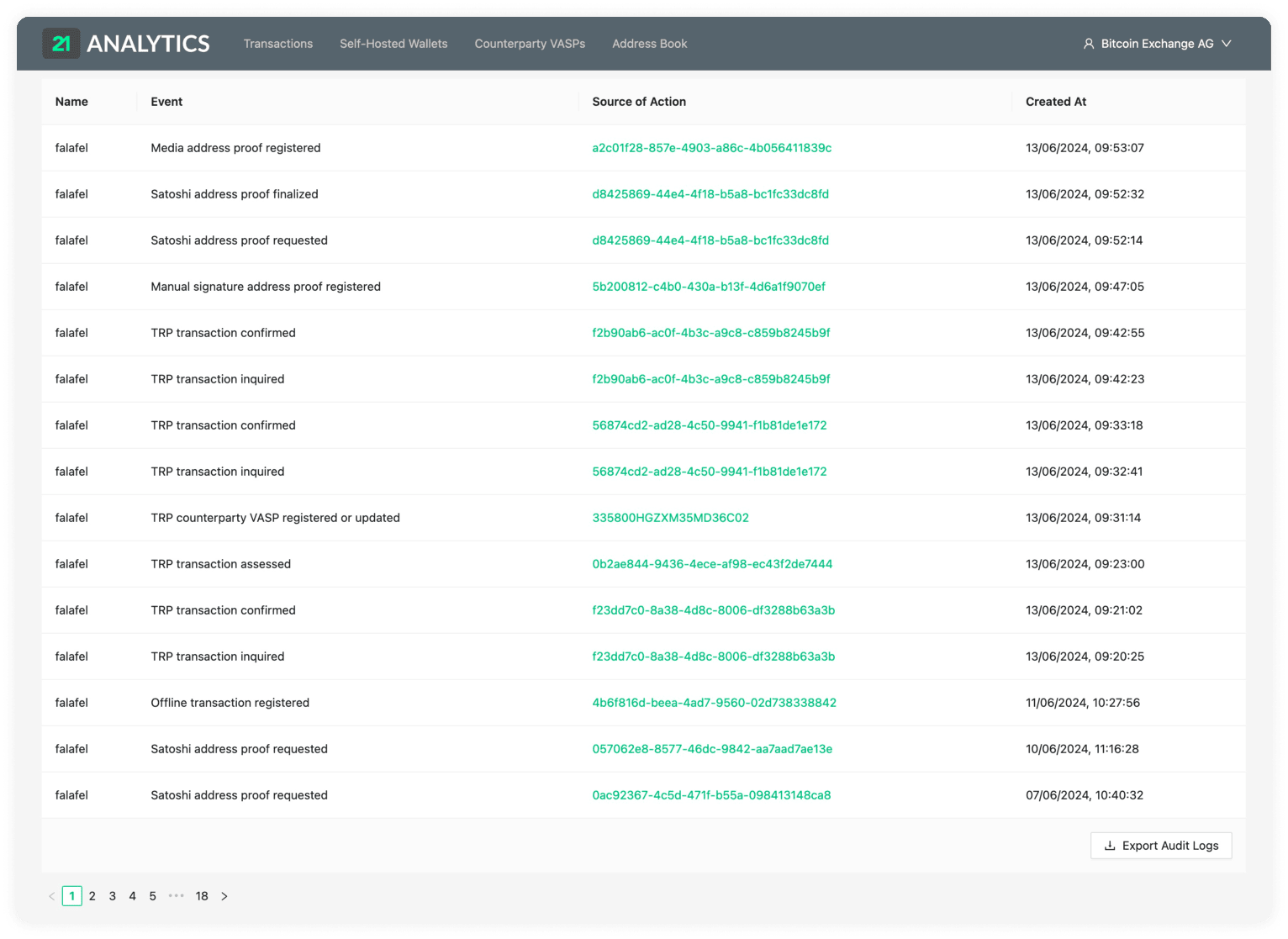
The table consists of:
Name
This is the name of the account that took a specific action/event on the 21 Travel Rule.
Event
These are the actions taken on 21 Travel Rule. These are some examples of events that can be found:
- Outgoing transaction initiated
- TRP transaction confirmed
- AOPP address proof requested
- Satoshi address proof finalized
- Email configuration updated
- Email counterparty VASP registered
- Custodial user registered
- Risk rating of a TRP transaction updated
Target
Describes the object that was modified, represented with a unique ID. Most of the entities will be a clickable link which will take you to directly to the corresponding detail view.
Created At
The date and time the event took place.
Export Audit Logs
Click Export Audit Logs to download the audit-log entries matching the current
filters as an .xlsx (Excel) file. You can open the file in spreadsheet
software to search, sort and further process the data, or to retain it in
another storage system. Please contact our team if you have any extra
functionality requirements.