Customers Overview
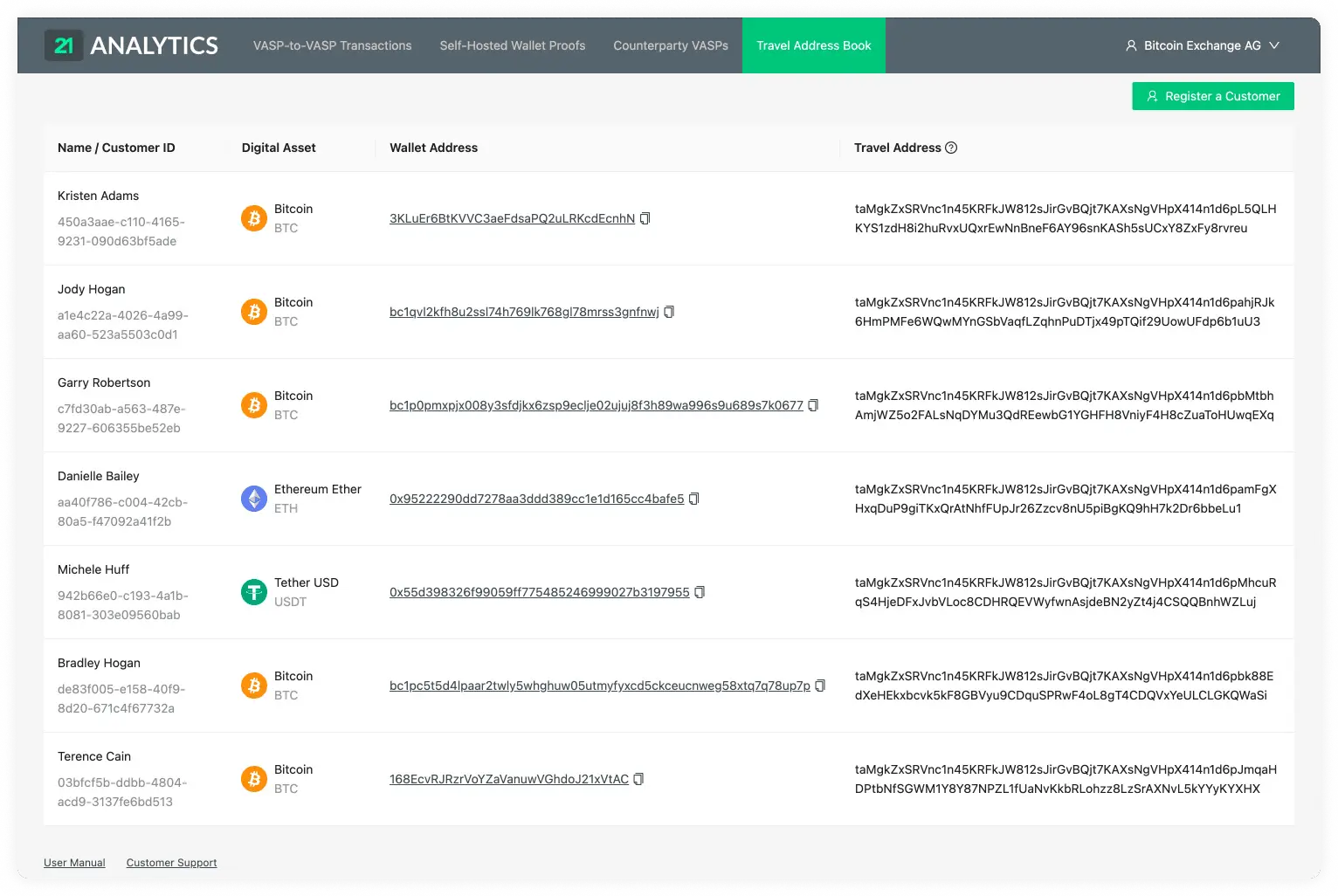
The customer table shows all the listed customers that were registered through the Register a Customer button.
Customer Details
The overview has one row per asset account, so a customer with accounts for multiple assets can appear more than once. Click any row for a customer to open their detail view and inspect all their asset accounts together.
The title shows the customer's name and ID. Below the shared Travel Address, the
account table shows each account's Asset, Wallet Address and Created At.
Use the copy buttons to copy the customer ID or Travel Address.
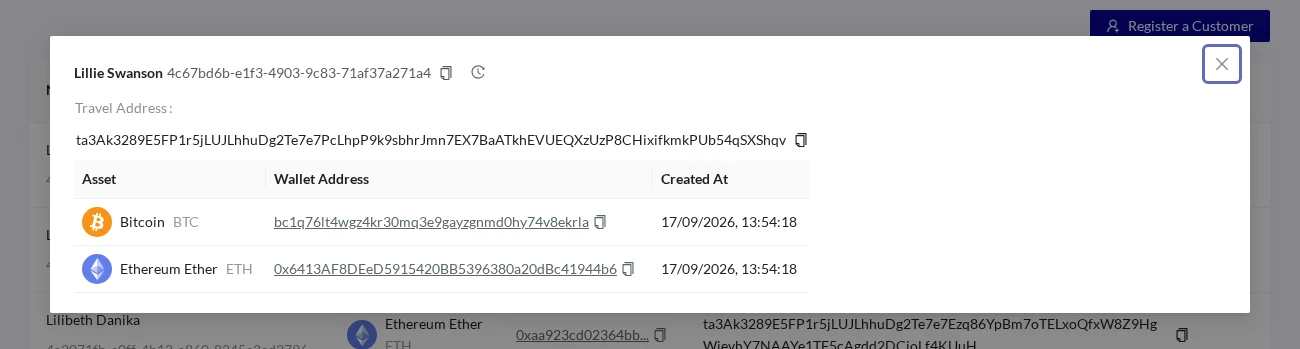
Click the History icon in the title bar to view this customer's events or
export their event history. See Event History.
Table Columns Overview
Name And ID
A list of the first and last name of your customers.
This is followed by the IDs associated with the registered customers. Our software might have created this if the field had been left empty. If you or your team added it, it is most likely an ID associated with your current custodial system.
Digital Asset
A list of the digital assets associated with the customers’ wallet addresses.
Wallet Address
This column shows a list of the wallet addresses used by your customers to generate the Travel Address.
Travel Address
A list of Travel Addresses automatically generated for your customers. This allows you to easily use the TRP protocol. You can use this when sending an Outgoing Transaction.
Created At
The time and date the asset account was registered. This column is hidden by default; use the table's column settings button to show it. The column can be sorted and filtered by date.